
Money
Withdrawing from Zentra
Withdraw to your own bank account up to 3 times a day: ₦100 to ₦30,000 each time and ₦50,000 a day.
Withdraw your balance to a bank account in your own name, from the Wallet tab. Zentra pays the transfer fee.
Zentra can change these numbers. The app always shows how many withdrawals you have left today.
How to withdraw
- Tap WithdrawChoose the wallet and the amount.
- Choose the bank accountPick your bank and enter your account number. Zentra checks the account name with the bank before sending.
- Enter your wallet PINThe 4-digit PIN for that wallet. Tap to confirm.
- Wait for the transferIt shows as pending in your activity, then done. If a transfer fails, the money goes back to your wallet.
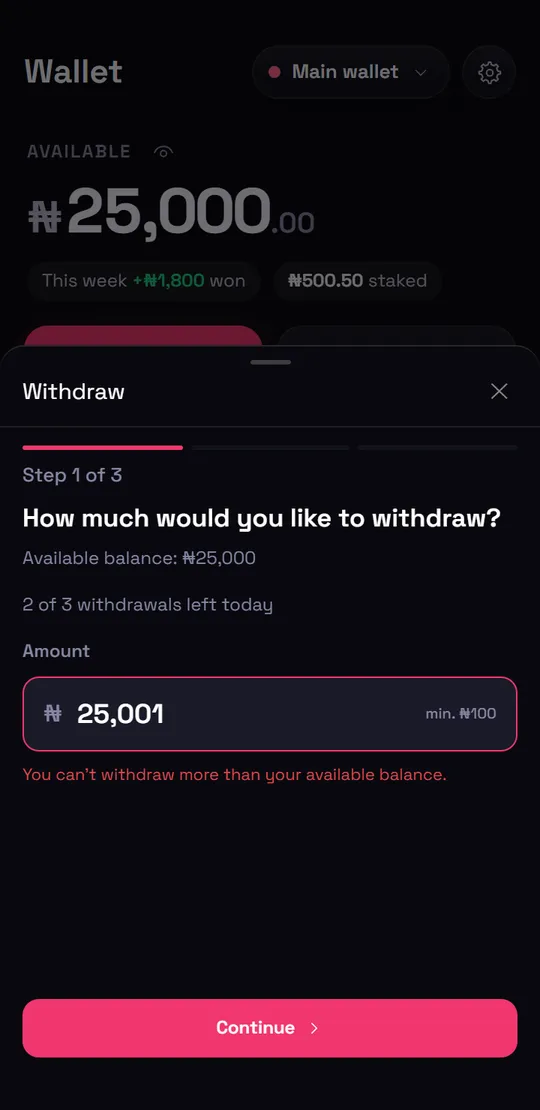
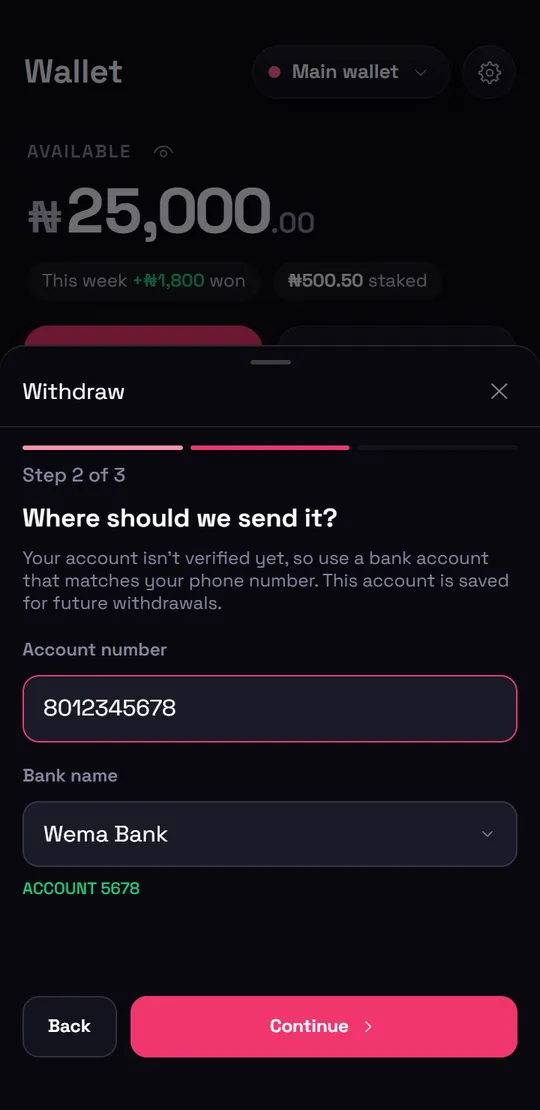
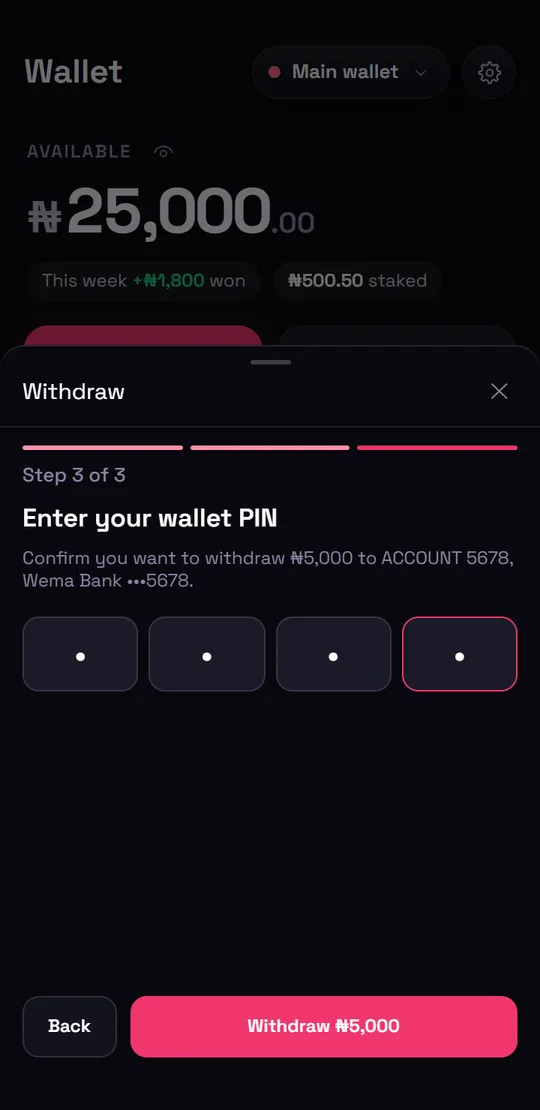
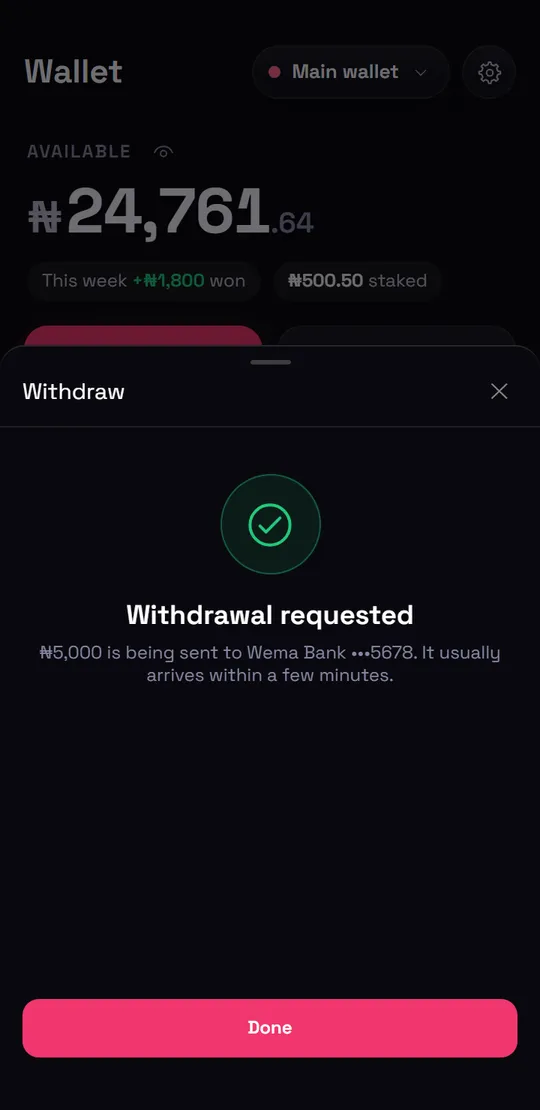
Screens from the Zentra app, with sample players and amounts.
Whose account
- Withdrawals only go to a bank account in your name.
- Until you've verified your identity, it has to be the account that matches your phone number.
Withdrawals always work
You can withdraw during a break or self-exclusion. Your money stays yours. Zentra may hold a withdrawal while it checks it for fraud or a mistake, and will tell you if it does.
If something goes wrong
If a withdrawal shows as failed, check your balance: the money should be back in your wallet. If it says done but hasn't reached your bank, give your bank a little time, then contact support from the app with the date and amount. See Support and disputes.