
Matches
Create or join a match on Zentra
Set up a challenge, tournament or match-up: pick the game, the stake and who can join. Or join one with a match code.
Create Match sets up a match exactly how you want it: the game, the stake and who plays. It takes under a minute. To join someone else's match, you only need its code.
Create a match
Tap Create Match on Home. A few short steps follow, and you can go back at any point.
- Choose the kind of matchChallenge: one on one. Tournament: a bracket of 4 to 256 players. Match-up: a best-of series against one person.
- Choose the gameChess, Whot, Lie, Ludo or Pool.
- Set the stake and walletWhat each player puts in: ₦100 to ₦10,000 (at least ₦2,000 for a match-up). Type an amount or tap ₦500, ₦1,000, ₦2,000 or ₦5,000, then pick which wallet pays.
- Tournament size or series lengthFor a tournament, pick 4, 8, 16, 32, 64, 128 or 256 players. Each size shows its pot. For a match-up, pick best of 3, 5, 7, 9 or 11.
- Who can joinOpen: anyone can find and join it. Invite only: you pick exactly who, by username. A match-up is always invite only.
- Name and descriptionOptional. Add a title or house notes for the people joining.
- Review and createCheck the summary, including what the winner takes, then create it. Your stake is held straight away.
When it's made, you get a match code to copy and share.
To create a tournament, you need to have verified your identity. Anyone can join one.
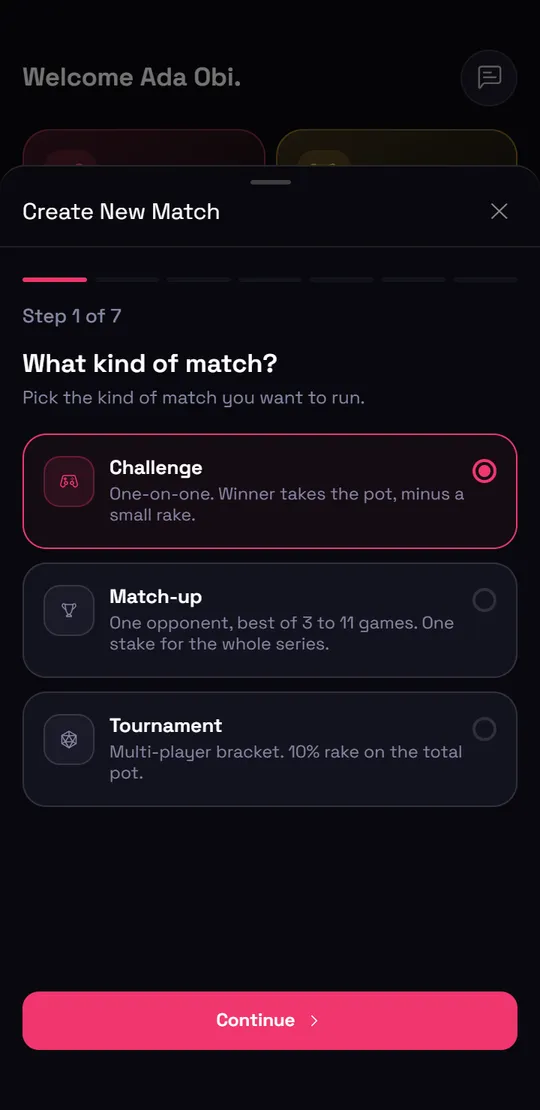
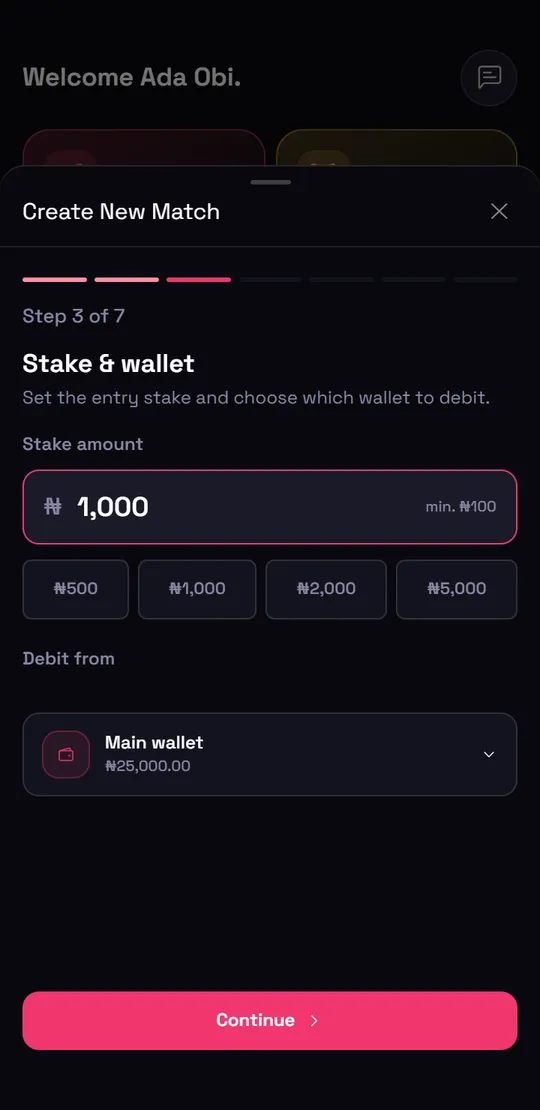
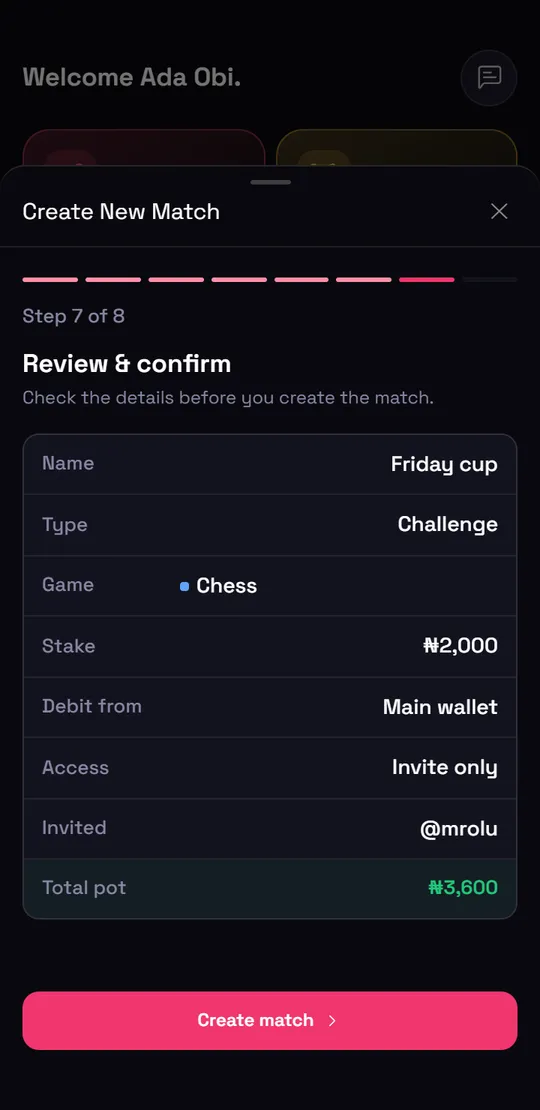
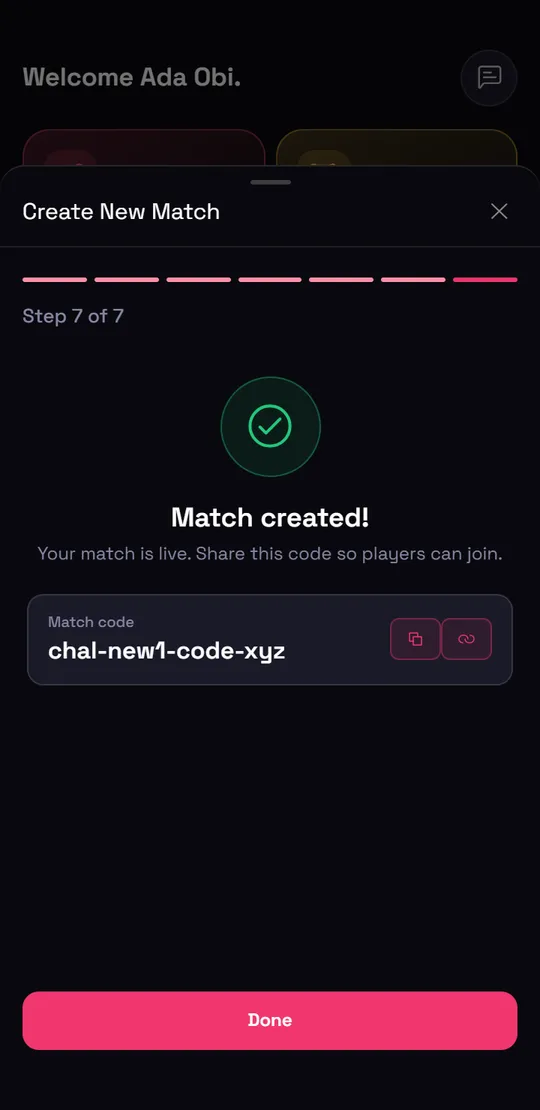
Screens from the Zentra app, with sample players and amounts.
When it starts
- Challenges and tournaments start the moment the last player joins, with 24 hours on each player's clock. Nobody needs to be online at the same time.
- Match-ups are played live: both players get ready before each game, with normal clocks. See Match-ups.
Join a match
- With a code: tap Load Match on Home and enter the code you were sent.
- From an invite: open it from Notifications, check the stake and accept.
- Open matches: open matches you might like show up on Explore.
Joining takes your stake from the wallet you choose, the same amount everyone else staked.
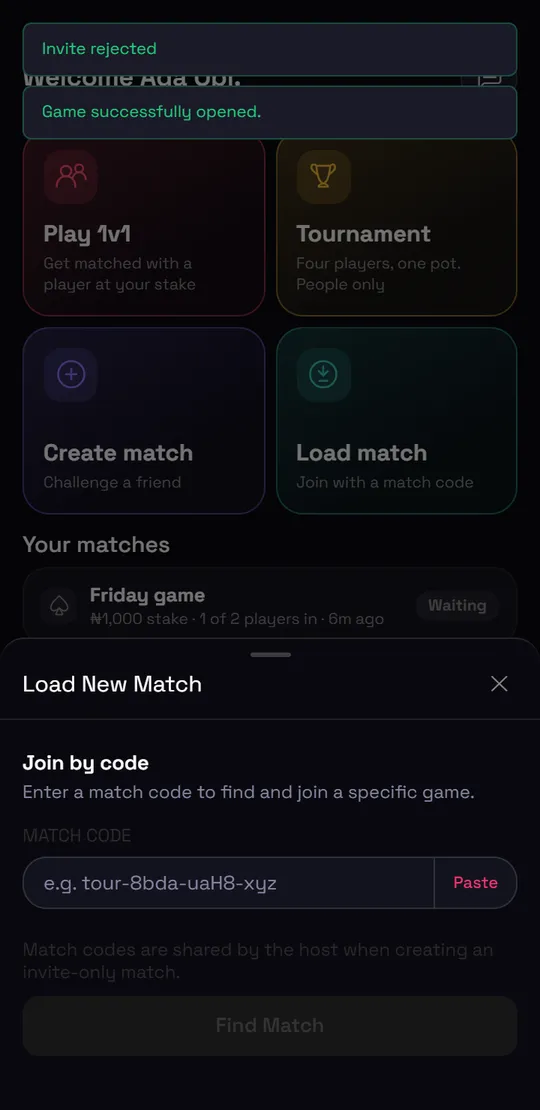
A screen from the Zentra app, with sample players and amounts.
If nobody joins
- If someone you invited declines, or once the match is 3 hours old, you can open it to everyone, or cancel it and get your stake back.
- A match still not full after 6 hours is cancelled automatically, and every stake is returned.