
Money
Verifying your identity on Zentra
What identity verification unlocks on Zentra, what you need for it and how long it takes.
You can sign up, deposit and play without verifying your identity. Verifying unlocks more, and it helps keep accounts in their real owners' hands. It's done in the app, using your BVN and a bank account in your name.
What it unlocks
| Not verified | Verified | |
|---|---|---|
| Wallets | 1 | Up to 3 |
| Withdrawals | To the bank account that matches your phone number | To any bank account in your name |
| Permanent deposit account | No | Yes |
| Creating tournaments | No (you can join them) | Yes |
| Starting a club | No (you can join one) | Yes |
How to verify
- Open verificationFrom the Menu, or when the app asks for it, for example when you start a club or set up a permanent deposit account.
- Enter your BVNYour 11-digit Bank Verification Number.
- Confirm a bank account linked to itEnter the account number and choose the bank. It must be an account already registered to your BVN.
- Wait for the checkPaystack checks your BVN, the account and the name on your Zentra account against each other. The app tells you when it's done.
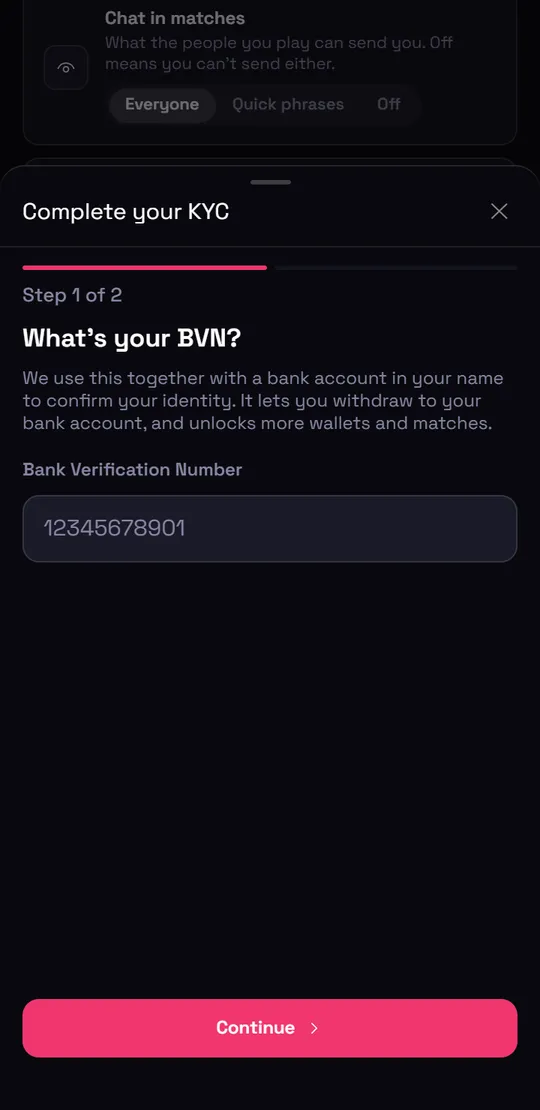
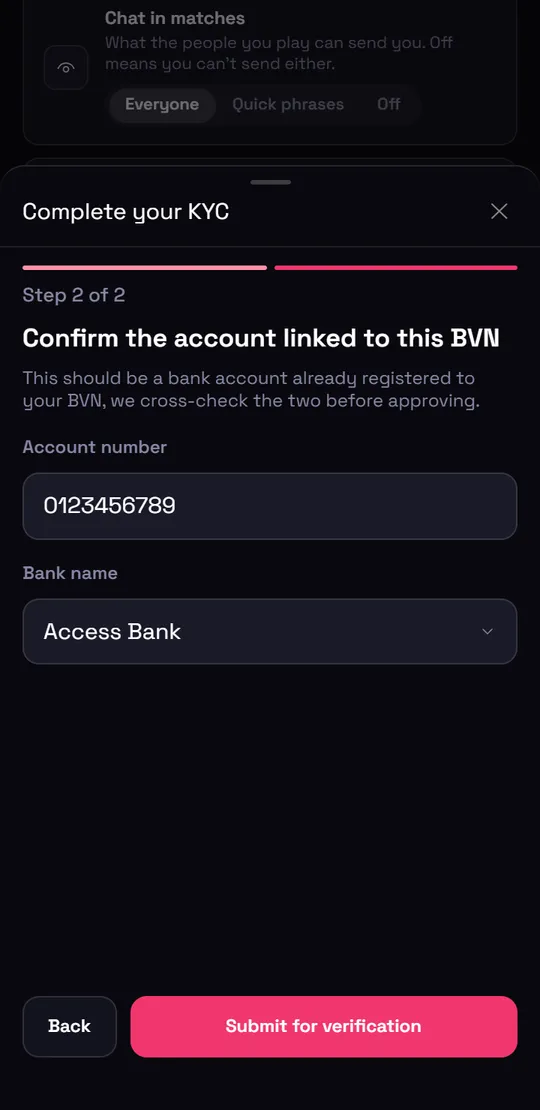
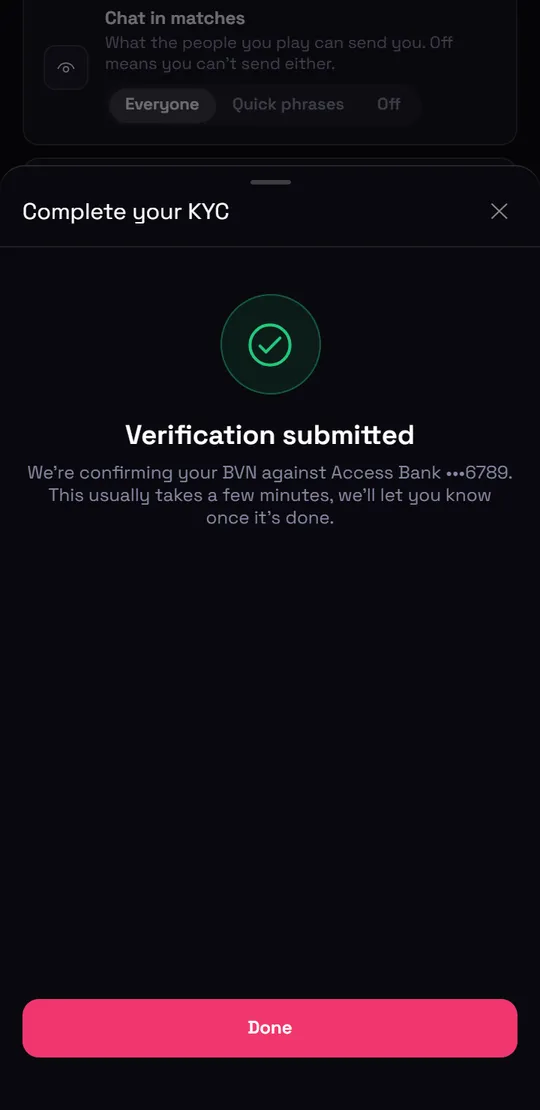
Screens from the Zentra app, with sample players and amounts.
If it fails
The app tells you why. The most common reason is a name that doesn't match: your Zentra account must be in the same name as your bank account and BVN. Fix the details and try again. If you're stuck, contact support.
What happens to your details
- Your BVN is passed to Paystack for the check. Zentra doesn't store it.
- Zentra keeps the bank account details you verified with, to pay withdrawals to it.
- More in the Privacy Policy.
Age checks
Zentra is for people 18 and over. We may ask you to prove your age at any time. Accounts of anyone under 18 are closed and their balance returned.